
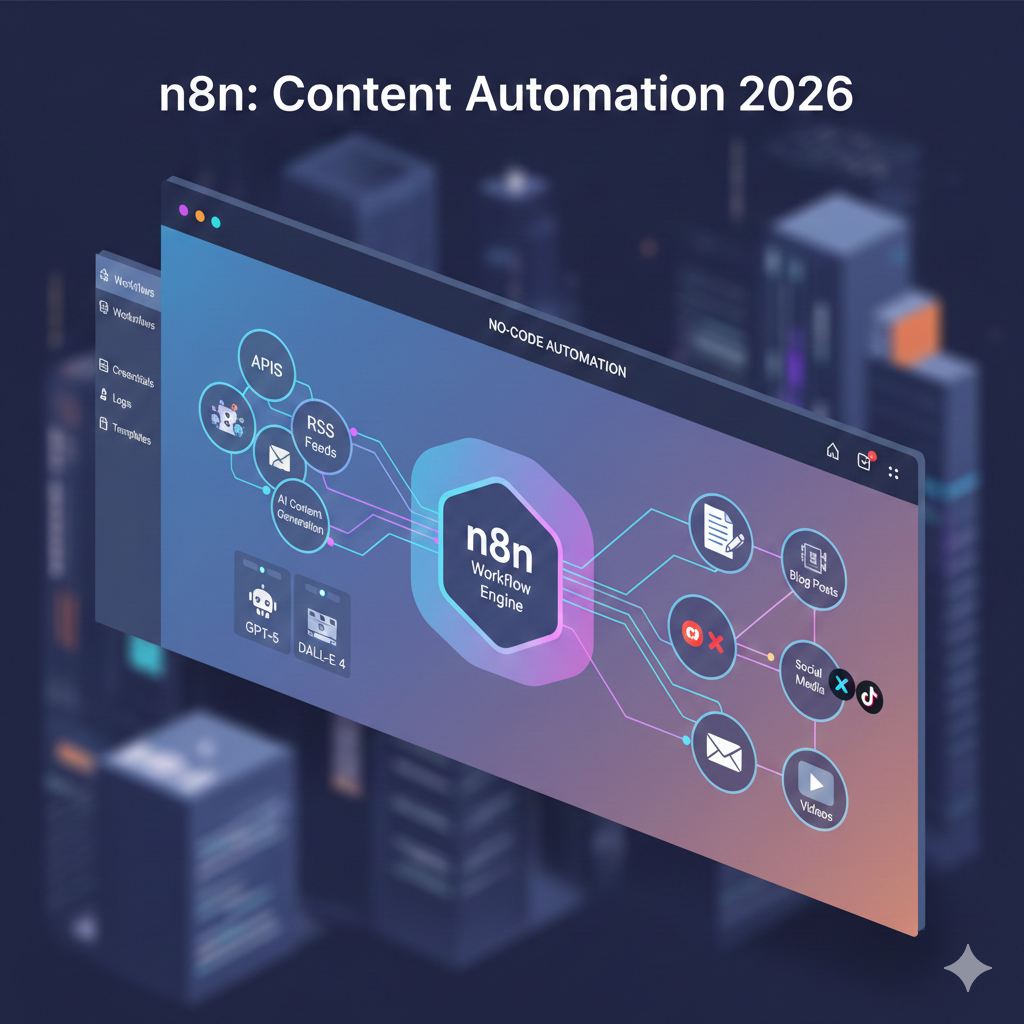
Content automation using n8n transforms repetitive content tasks into streamlined workflows that save hours daily. n8n is a powerful, open-source automation platform that connects different apps and services to create intelligent content workflows without requiring extensive coding knowledge.
This practical guide shows you exactly how to build content automation workflows in n8n, from simple social media posting to complex content distribution systems. You’ll learn to set up triggers, connect popular content tools, and create workflows that handle content creation, editing, publishing, and distribution automatically.
Whether you’re a content creator, marketer, or business owner, these automation strategies will help you scale content production while maintaining quality and consistency across all your channels.
What is n8n and Why Use It for Content Automation
n8n is a visual workflow automation tool that connects different applications through a drag-and-drop interface. Unlike traditional automation tools, n8n offers both cloud and self-hosted options, giving you complete control over your data and workflows.
For content automation, n8n excels because it:
Connects 400+ popular tools including WordPress, social media platforms, Google Workspace, Slack, and content management systems without requiring API knowledge.
Processes complex data transformations with built-in functions for text manipulation, image processing, and data formatting that content workflows often require.
Offers flexible pricing with a generous free tier (5,000 workflow executions monthly) and self-hosted options that eliminate per-execution costs.
Provides visual workflow building where you can see exactly how data flows between different content tools, making troubleshooting and optimization straightforward.
Supports conditional logic to create smart workflows that make decisions based on content type, performance metrics, or audience segments.
The platform handles everything from simple tasks like cross-posting social media content to complex workflows that research topics, generate content drafts, fact-check information, and distribute finished content across multiple channels.
Setting Up Your n8n Environment for Content Automation
Getting started with n8n for content automation requires choosing between cloud and self-hosted options based on your needs and technical comfort level.
Cloud vs Self-Hosted Decision
Choose n8n Cloud if:
- You want immediate setup without technical configuration
- Your team needs collaborative access to workflows
- You prefer managed infrastructure and automatic updates
- You’re starting with under 5,000 executions monthly
Choose Self-Hosted if:
- You handle sensitive content or client data
- You need unlimited workflow executions
- You have technical resources for server management
- You want complete control over data location
Quick Cloud Setup Process
- Create account at n8n.cloud with your business email
- Verify email and complete initial workspace setup
- Connect first integration using OAuth for Google Drive or social media
- Import starter template from n8n’s content automation library
- Test workflow with sample data to verify connections
Essential Integrations for Content Workflows
Content Creation Tools:
- Google Docs/Sheets: Draft creation, content calendars, performance tracking
- Notion: Content databases, collaboration, project management
- Airtable: Content planning, asset management, team workflows
Publishing Platforms:
- WordPress: Blog posting, content updates, SEO optimization
- Buffer/Hootsuite: Social media scheduling and posting
- Mailchimp: Email newsletter automation and audience segmentation
Content Research:
- RSS feeds: Topic discovery and trend monitoring
- Google Trends: Keyword research and content timing
- News APIs: Industry updates and timely content ideas
Analytics and Monitoring:
- Google Analytics: Performance tracking and optimization triggers
- Social media APIs: Engagement monitoring and response automation
- Slack/Discord: Team notifications and approval workflows
Basic Content Automation Workflows Every Beginner Should Try
Start with these fundamental workflows to understand n8n’s capabilities and build confidence before tackling complex automations.
Workflow 1: RSS to Social Media Publisher
This workflow monitors RSS feeds and automatically posts new articles to social media with customized messaging.
Components:
- RSS trigger: Monitor 1-5 relevant industry feeds
- Content filter: Skip posts older than 24 hours or with specific keywords
- Text transformer: Extract title, summary, and create social media copy
- Social media poster: Publish to Twitter, LinkedIn, or Facebook
Setup steps:
- Add RSS trigger node and input feed URLs
- Connect IF node to filter recent posts (published within last day)
- Add Set node to format post text with title and link
- Connect social media nodes for each platform
- Test with sample RSS feed items
Expected results: Automatic posting of 2-5 relevant articles daily with consistent formatting and timing.
Workflow 2: Content Calendar Automation
Transform Google Sheets content calendars into automated publishing workflows that handle scheduling across multiple platforms.
Components:
- Schedule trigger: Daily check for content due today
- Google Sheets reader: Fetch content calendar data
- Conditional logic: Route different content types to appropriate platforms
- Multi-platform publisher: WordPress, email, social media
Setup process:
- Create Google Sheet with columns: Date, Platform, Title, Content, Status
- Add Schedule trigger for daily 9 AM execution
- Connect Google Sheets node to read today’s scheduled content
- Add Switch node to route content based on Platform column
- Connect publishing nodes for each platform type
Optimization tips: Include approval workflow using Slack notifications before publishing, add status updates back to the sheet, and implement error handling for failed posts.
Workflow 3: Content Performance Tracker
Monitor content performance across platforms and compile weekly reports with actionable insights.
Components:
- Weekly schedule trigger: Every Monday at 10 AM
- Analytics collectors: Google Analytics, social media APIs, email platform APIs
- Data aggregator: Combine metrics from multiple sources
- Report generator: Create formatted summary in Google Docs or Slack
Key metrics to track:
- Blog post views, engagement time, conversion rates
- Social media reach, engagement, click-through rates
- Email open rates, click rates, unsubscribe rates
- Top-performing content topics and formats
This workflow saves 3-4 hours weekly typically spent manually compiling performance reports and provides consistent tracking for content optimization decisions.
Advanced Content Automation Strategies
Once comfortable with basic workflows, implement these advanced strategies to scale content operations and improve quality through intelligent automation.
AI-Powered Content Enhancement
Integrate AI tools to improve content quality and consistency across your publishing workflow.
Content optimization workflow:
- Draft detector: Monitor Google Docs for new content marked “Ready for AI Review”
- AI processor: Send content to OpenAI API for grammar, tone, and SEO optimization
- Version manager: Save AI-enhanced version alongside original
- Review notifier: Alert content team when AI review is complete
Implementation considerations:
- Set character limits for AI processing to control costs
- Include human approval step before AI suggestions are applied
- Track AI processing success rates and manual override frequency
- Store AI suggestions separately to maintain content authenticity
Dynamic Content Distribution
Create workflows that intelligently distribute content based on performance data, audience segments, and optimal timing.
Smart distribution components:
- Performance analyzer: Review past 30 days of content metrics
- Audience segmentation: Route content based on user demographics and interests
- Timing optimizer: Post content during historically high-engagement periods
- Platform prioritization: Focus effort on highest-performing channels
Advanced features:
- A/B testing for subject lines and post timing
- Automatic content reformatting for different platform requirements
- Engagement-based content boosting (increased promotion for viral content)
- Cross-platform remarketing sequences
Content Research and Ideation Automation
Automate the content discovery process to maintain consistent publishing schedules without manual topic research.
Research workflow elements:
- Trend monitoring: Google Trends, social media trending topics, industry news
- Competitor analysis: Monitor competitor content and identify gaps
- Audience questions: Scrape forums, social media, and support tickets for content ideas
- Content gap identification: Compare your content against search demand
Practical implementation:
- Set up weekly trend analysis reports
- Create content idea backlogs in Airtable or Notion
- Automate competitor content monitoring
- Generate monthly content themes based on seasonal trends
Multi-Channel Content Repurposing
Transform single pieces of content into multiple formats and distribute across appropriate channels automatically.
Repurposing workflow:
- Content analyzer: Identify content type and key points
- Format converter: Create social media posts, email content, infographics
- Channel router: Distribute appropriate formats to each platform
- Performance tracker: Monitor which repurposed formats perform best
Format transformations:
- Blog posts → Social media thread → Email newsletter excerpt → Infographic
- Video content → Audio podcast → Blog transcript → Social clips
- Long-form content → Multiple short-form pieces → Quote graphics
Best Practices and Troubleshooting Common Issues
Successful content automation requires following proven practices and knowing how to quickly resolve common problems that can disrupt workflows.
Workflow Design Best Practices
Error handling essentials:
- Add error nodes after each API call to handle rate limits and connection issues
- Implement retry logic with exponential backoff for temporary failures
- Create fallback procedures for critical publishing deadlines
- Set up monitoring alerts for workflow failures
Data quality management:
- Validate content before publishing with spell-check and format verification
- Implement approval workflows for sensitive or high-stakes content
- Create backup publishing options when primary platforms fail
- Test workflows with sample data before deploying to production
Security and access control:
- Use environment variables for API keys and sensitive credentials
- Implement role-based access for team workflow management
- Regularly audit and rotate API credentials
- Create separate workflows for testing and production environments
Common Content Automation Problems and Solutions
Rate limiting issues: Most content platforms limit API requests per hour or day. Solve this by:
- Adding delay nodes between API calls
- Implementing queue systems for high-volume publishing
- Using multiple API keys when platforms allow
- Spreading workflow executions across different time periods
Content formatting problems: Different platforms have varying character limits and formatting requirements:
- Create platform-specific content templates
- Use text transformation nodes to automatically adjust content length
- Implement rich text to plain text conversion for platforms that don’t support formatting
- Test content preview before publishing
Authentication failures: OAuth tokens expire and API credentials change:
- Set up monitoring for authentication errors
- Implement automatic token refresh where supported
- Create backup authentication methods
- Document credential renewal procedures for team members
Duplicate content detection: Prevent accidentally publishing the same content multiple times:
- Track published content in databases or spreadsheets
- Implement content fingerprinting for duplicate detection
- Create approval workflows that check for similar recent posts
- Use unique identifiers for each piece of content
Monitoring and Optimization Strategies
Performance tracking:
- Monitor workflow execution times and success rates
- Track content performance metrics across all automated channels
- Measure time saved compared to manual content management
- Calculate ROI based on increased publishing frequency and engagement
Continuous improvement:
- Regular workflow audits to identify bottlenecks and failures
- A/B testing for different automation approaches
- Team feedback collection on workflow effectiveness
- Platform API updates that might affect existing workflows
Scaling considerations:
- Plan for increased content volume and team growth
- Design modular workflows that can be easily replicated
- Implement centralized monitoring and reporting systems
- Create documentation and training materials for new team members
Getting Started: Your First Content Automation Project
Begin your content automation journey with this practical first project that demonstrates core n8n concepts while delivering immediate value.
Week 1: Simple Social Media Automation
Objective: Automate posting content from your blog to three social media platforms.
Required setup:
- n8n account (cloud or self-hosted)
- RSS feed from your blog or website
- Social media accounts for Twitter, LinkedIn, and Facebook
- 2-3 hours for initial setup and testing
Implementation steps:
- Day 1-2: Set up n8n account and connect social media platforms
- Day 3-4: Create and test basic RSS to social media workflow
- Day 5-6: Add content formatting and posting schedule optimization
- Day 7: Monitor results and make initial adjustments
Success metrics:
- 5+ posts automatically published across platforms
- Zero manual posting required
- Consistent content formatting and timing
- Basic engagement tracking working
Week 2-3: Content Calendar Integration
Expand your automation to include content planning and approval workflows.
Additional components:
- Google Sheets content calendar
- Slack or email notifications for content approvals
- Basic performance tracking and reporting
Expected outcomes:
- Seamless content planning to publishing workflow
- Team approval process integrated into automation
- Weekly performance reports generated automatically
- 50%+ reduction in content management time
Scaling to Advanced Workflows
After mastering basic automation, progressively add:
- AI content enhancement and optimization
- Multi-platform content repurposing
- Advanced analytics and performance optimization
- Team collaboration and approval workflows
Long-term goals:
- 90% of routine content tasks automated
- Consistent publishing schedule maintained automatically
- Measurable improvement in content engagement and reach
- Scalable system supporting team growth and increased content volume
Key Takeaways
Content automation with n8n transforms time-consuming manual tasks into efficient, scalable workflows. Start with simple RSS to social media automation, then progressively add content calendar integration, performance tracking, and AI-powered optimization.
Focus on workflows that solve your most pressing content challenges: maintaining consistent posting schedules, cross-platform distribution, or performance monitoring. Begin with the free n8n tier to test workflows before committing to paid plans or self-hosted deployment.
Essential success factors:
- Start small with proven workflow templates
- Test thoroughly before deploying to production
- Implement proper error handling and monitoring
- Document workflows for team collaboration and future optimization
Content automation isn’t about replacing human creativity—it’s about eliminating repetitive tasks so you can focus on strategy, creativity, and high-value content creation. With n8n’s visual workflow builder and extensive integration ecosystem, you can create powerful automation systems without extensive technical expertise.
Your next steps:
- Sign up for n8n and connect your first content tool integration
- Import a starter workflow template for social media automation
- Test with sample content and refine based on your specific needs
- Document successful workflows and plan your next automation project
Successful content automation grows iteratively. Master basic workflows first, then gradually add complexity as your comfort level and automation needs expand.