
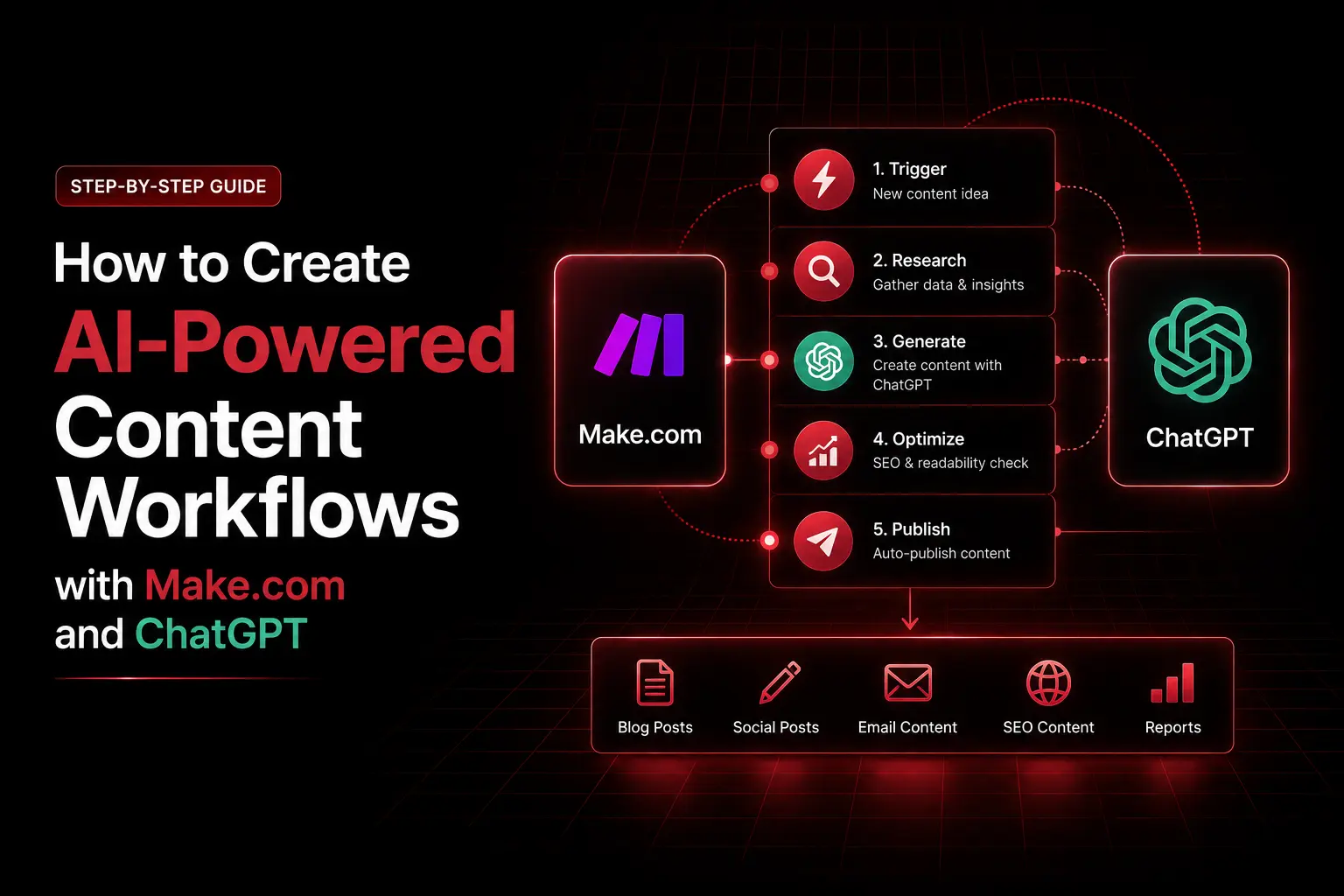
How to Build AI-Powered Content Workflows with Make.com and ChatGPT
AI-powered content workflows let a two-person team ship the output of a five-person team, and the setup takes an afternoon. The combination doing the work is Make.com and ChatGPT: a visual automation platform wired to an AI model that drafts, reformats, and routes content while your people handle strategy and final approval. At NuroSparX, we build these systems for SMBs every week, and the pattern is consistent. The busy work that eats your team’s calendar (reformatting posts, scheduling, summarizing, copy-pasting into WordPress) is exactly the work that automates cleanly.
This guide walks through three production-ready workflows you can build with Make.com and ChatGPT: a keyword-to-draft blog pipeline, a one-post-into-ten social repurposer, and a hands-off curated newsletter. Each one is real, buildable today, and tied to a specific time savings.
Want results like this for your business?
NuroSparX builds AI-powered growth engines for SMBs doing $5M-$100M. Let’s talk.
Get a Free Growth AuditWhat Is a Make.com and ChatGPT Content Workflow?
A Make.com and ChatGPT content workflow is an automated sequence that triggers on an event (a new spreadsheet row, a published post, a scheduled time), sends content to ChatGPT for drafting or reformatting, and routes the result to a publishing or scheduling tool, with a human approval step in between. You build it by dragging modules together on a visual canvas, no code required. The result is a content pipeline that runs in the background instead of consuming your team’s hours.
Why Content Automation Matters in 2026
Most content teams still run on disconnected tools. They draft in one place, reformat for social by hand, schedule posts one platform at a time, and summarize articles for newsletters manually. Every handoff costs time and introduces inconsistency. There are three common ways to fix this:
- Native automation: Built-in tools inside platforms like HubSpot. Simple, but limited to that ecosystem.
- Custom development: Engineers building bespoke pipelines. Flexible, but slow and expensive.
- Workflow automation platforms: Make.com, Zapier, or n8n let you build complex, cross-tool workflows visually. This is the sweet spot for most SMBs.
Make.com fits content work well because it is affordable, visual, and deep. Each module represents one action: read a Google Sheet, call ChatGPT, publish to WordPress, post to Slack. Output from one module feeds the next, like building blocks. Pair that with ChatGPT handling the writing and reformatting, and you have an AI content engine your team supervises rather than operates.
Make.com Fundamentals: Triggers, Modules, and Credits
You do not need to be technical to use Make. A workflow (Make calls it a scenario) has three parts.
Triggers
The trigger is what starts the scenario. It can be a new row in Google Sheets, a new email, a scheduled time such as every Monday at 9am, or a webhook from another app. In the workflows below, a new Google Sheets row is the trigger: add a keyword, and the scenario springs to life.
Modules
Each module performs one action. Make has thousands across apps: Google Sheets (read and write data), the OpenAI module (send prompts to ChatGPT and get responses), WordPress (create or publish posts), Gmail and Slack (notifications), RSS (pull feeds), and a universal HTTP module that calls any API. As of 2026, Make also ships native AI agents and a large library of pre-built AI integrations, so some steps that once needed custom prompting now have ready-made blocks.
Filters and the credit model
Filters are gates: “only continue if the draft passes review.” This is how you stop low-quality content from auto-publishing.
Pricing is the part most older guides get wrong. On August 27, 2025, Make switched from an “operations” model to a “credits” model. In 2026 the plans run Free (1,000 credits per month, two active scenarios), Core (around $9 per month, 10,000 credits, unlimited scenarios), Pro (around $16 per month), Teams (around $29 per month), and Enterprise (custom). All paid tiers start at 10,000 credits, and annual billing saves roughly 15 percent. One standard module run equals one credit, while AI features and code execution cost more.
The trap: triggers, filters, and iterators each count as separate credits, so a workflow that looks like three steps on the canvas can burn 8 to 15 credits per run. For a small content team, Core comfortably covers a few hundred content pieces a month. Always check Make’s live pricing page before you commit, since the numbers shift.
Workflow 1: Keyword to Published Blog Draft
This is the highest-leverage workflow. It turns a keyword into a WordPress draft with one human approval. Here is how to build it, step by step.
- Set up the trigger sheet. Create a Google Sheet named “Blog Ideas” with columns: Keyword, Outline, Status, WordPress Link.
- Add the Google Sheets trigger. Configure a Google Sheets module to watch for new rows.
- Add the ChatGPT module. Use a prompt like: “Write a 1,500-word blog post about [Keyword] for small business owners. Use an approachable, conversational tone. Include an intro, four main sections, a conclusion, and three FAQ questions. Follow these brand guidelines: [insert voice]. Output as plain text with markdown headers.”
- Add a Slack review step. Send the draft to your content lead with approve and reject buttons. This is the quality gate.
- Add a filter. Continue only if approved. If rejected, stop and log the reason.
- Add the WordPress module. Create a new post, map the title, body, featured image, and category, and set status to “draft” so nothing publishes without a final human look.
- Log the result. Update the Google Sheet with the post link and a “Published” status.
First build takes 30 to 45 minutes. Reusing the pattern, later scenarios take 10 to 15 minutes. If you draft 10 posts a month and each takes 3 hours by hand, that is roughly 30 hours back per month.
Workflow 2: One Blog Post into 10 Social Variants
A 1,500-word blog post is built for search, not for social. Teams routinely spend 45 minutes per post reformatting it into LinkedIn, X, and Instagram versions. This workflow does it in seconds.
The flow: a new WordPress post in the “blog” category triggers the scenario. The WordPress module reads the full post, ChatGPT generates the variants, a formatter structures them by platform, and they go to a scheduler or a Slack channel for approval.
Use a single ChatGPT call to generate everything at once, which is cheaper than ten separate calls: “Extract 3 to 5 key insights from this blog post: [content]. Then write 10 social posts: a LinkedIn post (professional, 200 words), an X thread (5 posts), an Instagram caption (friendly, emoji-light), a short video hook, a LinkedIn article teaser, three quote-style posts, a community-forum-style post, five email subject lines, and a Facebook post. Keep this brand voice: [guidelines]. Output as a numbered list.”
For scheduling, Buffer, Later, and Hootsuite all expose APIs, and Meta Business Suite has one too. Confirm current API access and tier for whichever you use, since social platforms change these often. Or skip auto-scheduling entirely and drop the variants into Slack for your social manager to approve. Across 10 posts a month, this saves roughly 7.5 hours.
Workflow 3: Automated Curated Email Newsletter
Many SMBs want a weekly newsletter but cannot spare the curation time. This scenario builds one automatically.
The flow runs on a Monday morning schedule. An RSS module pulls the past week’s articles from three to five industry blogs. ChatGPT summarizes each in one or two sentences. A text formatter assembles a branded HTML email. Mailchimp, ConvertKit, or your platform of choice sends it, and a Google Sheet logs the send for tracking.
The summarize prompt is simple: “Summarize this article in 1 to 2 sentences for a newsletter aimed at small business owners: [content].”
One practitioner tip that keeps an automated newsletter from feeling robotic: have a Make module prepend a “Why this matters” line to each summary with your own angle. It takes one extra field and turns a feed digest into a point of view. A weekly newsletter that takes 2 to 3 hours to assemble by hand drops to a five-minute setup that then runs itself.
Error Handling and Quality Gates
Automation without guardrails creates problems quietly. A model can produce nonsense, an API can fail silently, a filter can block the wrong thing. These safeguards matter more than any single workflow.
- Human checkpoints on irreversible steps. Never fully automate the final publish or send. Route the draft to Slack or email for a quick approve or reject.
- Failure notifications. Configure Make to ping a Slack channel when any module errors, so a broken scenario does not run silent for a week.
- Quality filters. Gate on a score where one exists, for example “publish only if the SEO score clears your threshold.”
- Dry runs. Test every new scenario with sample data before pointing it at production. Run the blog workflow against a throwaway draft first.
- Rate-limit awareness. Generating 100 pieces at once will trip API limits. Batch in smaller groups or add short delays between runs.
This is the section that separates a workflow you trust from one you babysit. If you are auditing where your content engine leaks quality, our SEO, GEO and AEO audit is built to find exactly those structural gaps.
Make.com vs Zapier vs n8n: How to Choose
The platform choice shapes your cost and control. Use this framework.
| Criteria | Make.com | Zapier | n8n |
| Best for | Visual multi-step workflows on a budget | Fastest setup, broadest app library | Developers wanting full control |
| Pricing model | Credit-based, low entry (~$9/mo Core) | Task-based, higher per-task cost | Free self-hosted, or paid cloud |
| Learning curve | Moderate (visual canvas) | Lowest | Steepest (technical) |
| AI features | Native AI agents + OpenAI module | Built-in AI orchestration | Flexible via nodes and code |
| Self-hosting | No | No | Yes |
| When to pick it | Most content SMBs | Non-technical teams who want speed | Teams with engineering and data-privacy needs |
The rule we give clients: start with Make.com if you want the best balance of power and price, choose Zapier if speed of setup matters more than per-run cost, and consider self-hosted n8n only if you have technical hands and strict data-privacy requirements.
On the AI side, route most content drafting to a cheaper modern model such as GPT-4o mini, GPT-4.1 nano, or GPT-5 mini, and reserve a frontier model like GPT-5.5 for your highest-stakes pieces. GPT-3.5 is now deprecated, so any guide still recommending it is out of date. ChatGPT is billed by tokens, so bulk operations stay affordable, but confirm current model pricing in the OpenAI dashboard since it changes often.
Mistakes That Sink AI Content Workflows
Most failures trace back to three avoidable errors.
- Automating the publish step. The single most damaging mistake is removing the human from the final action. A model can be confidently wrong, and once a bad post is live it costs you trust. Keep a one-click approval gate before anything goes public.
- Vague prompts. “Write a blog post” returns generic filler. Detailed prompts with word count, structure, tone, and brand guidelines produce content that needs light editing instead of a rewrite. Your prompt is the product spec.
- Set-and-forget mindset. Workflows drift. Models update, feeds break, brand voice evolves. Review output monthly, refresh prompts quarterly, and watch your credit consumption so a runaway scenario does not quietly drain your plan.
Frequently Asked Questions
Will ChatGPT-generated content hurt my SEO?
Not if you maintain quality. Google’s guidance targets low-value content, not AI assistance specifically. With detailed prompts and human review catching brand-voice and accuracy issues, AI-assisted content can rank well. The risk is publishing thin, unedited output at scale, which a human checkpoint prevents.
How much does it cost to run these workflows?
A realistic SMB stack is Make.com Core (around $9 per month), ChatGPT API usage (often $10 to $40 per month for a normal content volume), plus tools you likely already pay for like WordPress hosting and an email platform. That is a fraction of a part-time content hire, and the API is billed by tokens so light months cost less.
Can I use Claude or another model instead of ChatGPT?
Yes. The Make OpenAI module handles ChatGPT directly, and the universal HTTP module can call any API, including Anthropic’s Claude or others. The workflow structure stays the same. Pick the model whose output quality and price fit your content.
Do I still need humans if I automate this?
Yes, and that is the point. Automation removes the repetitive admin work so your team spends time on strategy, research, editing, and brand voice. Treat the system as an assistant that drafts and routes, with people owning judgment and final approval.
How long does it take to set this up?
Your first workflow takes 30 to 45 minutes. Plan a four-week rollout: build the blog pipeline in week one, test and refine prompts in week two, add the social repurposer in week three, and add the newsletter plus team training in week four. Most teams report saving 30 or more hours a month once all three run.
What happens if Make.com or ChatGPT changes pricing or shuts down?
Reduce that risk by documenting every workflow so you can rebuild on another platform, avoiding total dependence on one tool, and exporting your data regularly. Because Make, Zapier, and n8n share the same trigger-module-action logic, migrating a documented workflow is straightforward.
Ready to Put Your Content Engine on Autopilot?
Your team’s job is to tell stories that connect, not to reformat posts and manage spreadsheets. AI-powered content workflows with Make.com and ChatGPT hand the busy work to the machines and give the strategy back to your people. If you want to know where your current content and search setup is leaking time and visibility before you automate it, book a free SEO, GEO and AEO audit and we will map the gaps. For a free, AI-first complement to this stack, see our walkthrough on using the Gemini CLI for SEO audits. Questions first? Reach the team through our contact page.