You’re drowning in tools. Zapier is $500/month. Make.com wants another $300. Your developer is asking for $15k to build a custom integration. Meanwhile, support tickets pile up, leads wait too long for qualification, and your content doesn’t go out on all your channels.
Want results like this for your business?
NuroSparx builds AI-powered growth engines for brands doing $1M to $100M. Let’s talk.
You can automate all of it for free.
OpenClaw, the open-source AI agent framework that hit 100k+ GitHub stars in early 2026, pairs with Claude 4.6 Opus to change how SMBs think about automation. You don’t need to be a developer, pay monthly SaaS fees or accept vendor lock-in. You need a way to teach your AI agents to do your work.
Claude is the secret weapon in this stack, and you can have it running in less than 30 minutes.
What OpenClaw is, and how it uses Claude
Some people take OpenClaw for a Claude competitor. OpenClaw doesn’t replace Claude. It uses Claude.
Think of OpenClaw as the vehicle and Claude as the engine.
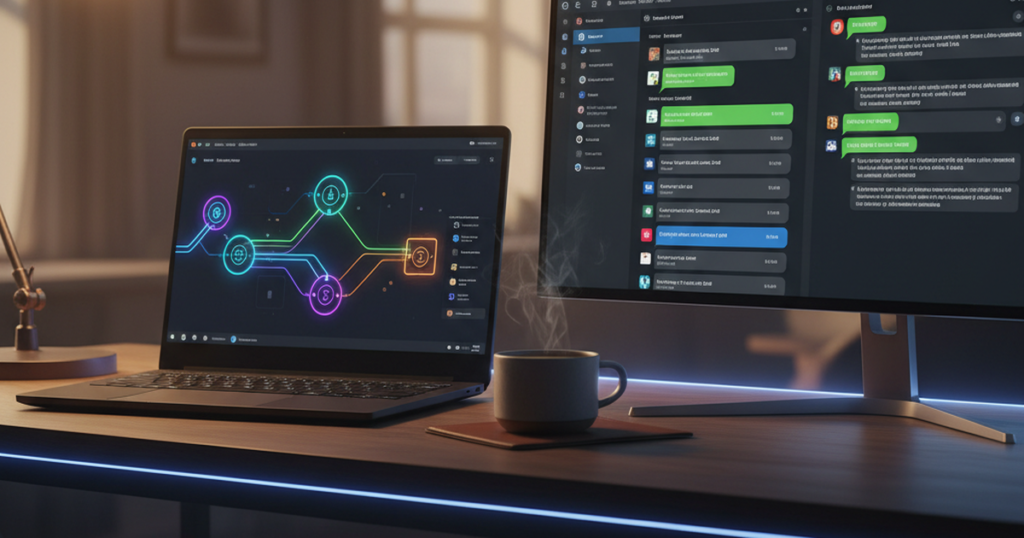
OpenClaw is an open-source framework that sits on your hardware (or a cheap cloud server) and runs your business automations. It connects to Slack, WhatsApp, Discord, Telegram, GitHub, Asana, email and 30+ other tools. It manages workflows, remembers context and routes decisions. It doesn’t do the thinking itself. It hands that to Claude (or GPT-4, or Llama, if you want; more on that later).
What sets OpenClaw apart:
No coding required. You teach OpenClaw an automation by describing what you want in plain English: “When a customer messages on WhatsApp, qualify them as a lead. If they fit our ICP, send them to Slack. If they don’t, send them a templated response.” OpenClaw does the rest.
Runs on your hardware. You download it, run it locally, and it stays on your infrastructure. No vendor reads your data, raises the price by surprise or sends you a “we’re sunsetting this feature” note. You control the whole thing.
Model-agnostic. You can swap engines: Claude one day, GPT-4 the next, or different models for different tasks. The infrastructure doesn’t care.
30+ integrations out of the box. Slack, WhatsApp, Discord, Telegram, GitHub, Asana, Notion, Airtable, email, SMS, HTTP webhooks and more.
No monthly bill. OpenClaw is free. You pay for your server and for the API calls you use (Claude, GPT, whatever). That’s it.
That’s why it went viral. For the first time, SMBs have a real alternative to Zapier and Make.com that matches them on capability.
Why Claude 4.6 is the best engine for OpenClaw

OpenClaw is model-agnostic, so you could run GPT-4 or Llama through it. The OpenClaw community agrees on the best engine, though: Claude 4.6 Opus.
Raw reasoning power. Claude scores 91.3% on GPQA Diamond, a test of scientific reasoning and deep knowledge. That matters for OpenClaw, because you want your agent to understand context, make careful judgment calls and handle edge cases. Claude does that better than anything else in its class.
1M token context window. Most competing models have 100k or 200k. Claude has 1 million. In an SMB automation stack, your agent can take in your entire customer conversation history, product docs, brand guidelines and SOPs in a single prompt. No chunking, and no “forget what I told you 5 minutes ago.” The context stays put.
Enterprise coding strength. Claude has 54% of the enterprise coding market. If your OpenClaw automation needs to write code (generate SQL queries, debug integrations, write microservices), Claude is the most reliable choice.
Cost-effective API pricing. Claude’s API is competitive, especially at scale. An SMB running 100s of automations per day can expect $5 to $50/month in API costs. That’s 100x cheaper than Zapier.
Reliability. OpenClaw users report significantly fewer hallucinations and errors with Claude than with other models. Production automations need that reliability.
You could run OpenClaw with GPT-4 or Llama. For the best results out of the box, use Claude 4.6 Opus.
5 automations SMBs run on OpenClaw + Claude today
Hundreds of SMBs already run OpenClaw + Claude in production. Here are five real-world automations.
1. Customer support across Slack, WhatsApp and Discord
Problem: Your customer support is scattered. Messages come in through Slack (from internal teams), WhatsApp (from customers) and Discord (from your community). You copy and paste responses across platforms by hand.
OpenClaw + Claude solution: Set up an agent that listens to all three channels. When a support message comes in, Claude reads it, searches your help docs for answers, and either replies automatically (for common questions) or hands it to a human with context. The agent remembers conversation history, so when a customer follows up three days later, it already has the context.
Cost comparison: Zapier + help desk software = $800-1500/month. OpenClaw + Claude = $0 setup + ~$10-20/month in API costs.
2. Lead qualification and smart routing
Problem: Your sales team gets 20 inbound inquiries a day. Most are tire-kickers, and only 2 to 3 are qualified. Your reps lose hours on qualification calls.
OpenClaw + Claude solution: Build an agent that qualifies leads in real time. When someone fills out your contact form or sends an email, Claude scores them against your ICP using your CRM data and product context. High-quality leads go straight to your top sales rep, medium-quality leads go to inside sales, and low-quality leads get a nurture sequence. It all runs on its own.
Cost: OpenClaw + Claude = $20-40/month in API costs. Your sales team saves 10+ hours/week.
3. Content repurposing pipeline
Problem: You write one blog post, and it only reaches people who read your blog. You could reshape it for LinkedIn, Twitter, email newsletters and your podcast, but that’s 4 to 5 hours of manual work per post.
OpenClaw + Claude solution: Build a content agent. You drop a blog post into your system. Claude reads it, pulls out the key insights, and writes LinkedIn posts, Twitter threads, newsletter copy and podcast talking points. Each version fits its platform and tone, and no one has to copy and paste.
Cost: OpenClaw + Claude = $5-15/month in API costs. You get 5x the reach without hiring a content operations person.
(NuroSparx’s Search & Content Growth Engine does exactly this at scale.)
4. Invoice processing and follow-up
Problem: Invoices come in through email, Slack and your portal. Some customers pay on time. Others disappear. You track who owes you what by hand.
OpenClaw + Claude solution: Deploy an agent that reads incoming invoices, pulls out key data (amount, due date, customer name), checks it against your AR aging report and sends payment reminders automatically. When a payment comes in, it updates your ledger and marks the invoice paid. For past-due invoices, the agent sends you a summary.
Cost: OpenClaw + Claude = $10-30/month in API costs, depending on volume. Your accounting team saves 5+ hours/week.
5. Social media monitoring and smart response
Problem: You want to track mentions of your brand on Twitter, LinkedIn and Reddit, but you can’t answer all of them by hand. Some are complaints, some are compliments and some are questions.
OpenClaw + Claude solution: Build an agent that watches all three platforms for brand mentions. Claude reads each mention and sorts it (complaint, question, compliment, irrelevant). It then replies automatically to common questions and compliments, flags complaints for you and skips irrelevant noise. Your team only sees the mentions that need a human.
Cost: OpenClaw + Claude = $15-40/month in API costs depending on mention volume.
SMBs run these today. They save thousands per month and get back hundreds of hours of staff time.
Set up OpenClaw + Claude in under 30 minutes
Step 1: Clone OpenClaw locally (2 minutes)
git clone https://github.com/openclaw/openclaw.git
cd openclaw
Step 2: Get your Claude API key (1 minute)
Go to console.anthropic.com, create an account or log in, and generate an API key. You’ll need it in a moment.
Step 3: Configure OpenClaw (5 minutes)
Create a `.env` file in the openclaw directory:
CLAUDE_API_KEY=your-api-key-here
OPENAI_API_KEY=sk-... (optional, if you want GPT fallback)
SLACK_BOT_TOKEN=xoxb-... (optional, only if you're using Slack)
WHATSAPP_API_KEY=... (optional, only if you're using WhatsApp)
Then run the setup wizard:
python openclaw setupIt asks which integrations you want to turn on. Say yes to the ones you need.
Step 4: Define your first agent in plain English (10 minutes)
OpenClaw uses a simple YAML config for agents. For example:
agents:
  - name: customer_support_agent
    description: "Handles customer support across Slack and WhatsApp"
    model: claude-opus-4-6
    system_prompt: |
      You are a helpful customer support agent.
      You have access to the company's knowledge base and customer history.
      Respond in a friendly, conversational tone.
      If you don't know the answer, escalate to a human.
    integrations:
      - slack
      - whatsapp
    skills:
      - search_knowledge_base
      - query_crm
      - escalate_to_human
Step 5: Test and deploy (5 minutes)
openclaw test customer_support_agentIf everything looks good:
openclaw deployYour agent is now live.
You didn’t write a single line of production code. You described what you want in YAML, and Claude handles the rest.
If you want more, you can write custom skills in Python, add webhook integrations or connect to proprietary databases. For most SMB automation needs, the out-of-the-box config is enough.
What OpenClaw, Zapier and Make.com cost
OpenClaw is free, but it needs some technical comfort. Zapier is expensive, but it’s click-and-drag simple.
Real scenario: You’re an SMB with 200 daily automations (customer support, lead routing, content repurposing, invoice processing, social monitoring).
- OpenClaw + Claude: $100-150/month in API costs. One-time setup effort. You own the infrastructure.
- Zapier: $1500-2000/month. Zero setup effort. Zero infrastructure ownership.
- Make.com: $800-1200/month. Low setup effort. Zero infrastructure ownership.
If you’re bootstrapped or profitable, OpenClaw is the obvious pick. If you’d rather keep operational overhead low and you have the budget, Zapier or Make.com make sense.
OpenClaw is catching up fast on ease of use. In 6 months, setup will take even less time, and the cost advantage will keep growing.
When OpenClaw isn’t the right fit
OpenClaw is a strong tool, but it doesn’t suit every business.
You probably shouldn’t use OpenClaw if:
- You need 6000+ integrations. Zapier has more connectors. OpenClaw is catching up, but it isn’t there yet.
- You have zero technical people on your team. OpenClaw needs at least one person who’s comfortable with YAML, the command line and basic API concepts. If that’s not you, Zapier’s drag-and-drop is easier.
- You’re running complex multi-step workflows with conditional logic that changes weekly. OpenClaw handles automation well, but Zapier’s UI makes complex flows easier to see and change without code.
- You need 24/7 SLA support. OpenClaw is open source, so you get community support. Zapier gives you a support team. If downtime costs you money, paid support may be worth the peace of mind.
- You’re in a heavily regulated industry. If you need SOC 2 compliance, data residency guarantees or audit trails for every automation, Zapier and Make.com offer those. OpenClaw does too, but you have to manage them yourself.
If you’re technical, bootstrapped and want to optimize for cost and control, OpenClaw is your answer. If you’re non-technical, well-funded or need enterprise support, stick with Zapier or Make.com.
What switching saves an SMB
AI tooling has moved so fast that most SMBs still pay for $500/month automation platforms built for an era when AI wasn’t this good.
OpenClaw + Claude takes a different approach: bring the intelligence in-house, own the infrastructure and pay only for the compute you use.
For a typical SMB doing $5M-$100M in revenue, switching from Zapier to OpenClaw + Claude can save $5000-20000/year. You can put that money into hiring, product or growth.
Setup is short, and the learning curve is manageable.
If you already work with NuroSparx on AI Automation & Analytics, OpenClaw fits well alongside it for your internal operations. If you plan to build content at scale through our Search & Content Growth Engine, OpenClaw can automate the repurposing and distribution.
If you want help fitting OpenClaw into your wider automation plan, get in touch.
Frequently asked questions
Q: Do I need to pay for Claude API access?
A: Yes, but it’s cheap. You only pay for the tokens you use. A typical OpenClaw automation using Claude Opus costs $0.02 to $0.10 per run, depending on context size. For 100 daily automations, that’s $2 to $10/month. Zapier starts at $500+/month.
Q: Can I run OpenClaw on my laptop, or do I need a server?
A: Both work. For testing and small-scale automation, your laptop is fine. For production (running 24/7), a cheap cloud server ($5 to $15/month on AWS, DigitalOcean or Heroku) is better. The compute is so light that you’re not paying for much.
Q: What if something breaks? How do I debug it?
A: OpenClaw has detailed logging and error reporting. When an automation fails, you get a full trace: what happened, which model ran, what the input was and what the output was. You can replay the automation with different parameters. For most SMBs, that beats Zapier’s “something went wrong” error messages.
Q: Is my data safe on OpenClaw?
A: If you run it on your own server, yes. Your data never leaves your infrastructure. If you use an OpenClaw cloud version (they’re working on one), safety depends on their data handling practices. Always check their privacy policy.
Q: Can I use GPT-4 or Llama instead of Claude?
A: Yes. OpenClaw is model-agnostic. You can use GPT-4, Llama, Mistral or any model with an API. Claude gets the recommendation for its reasoning power and context window, but you’re not locked in.
Q: How long until OpenClaw has 6000 integrations like Zapier?
A: Unknown, but probably sooner than you’d think. The community ships new integrations every week. If you need a specific one, you can add it yourself or pay an OpenClaw developer $500 to $2000 to build it. That still costs less than Zapier’s yearly bill.
You're All Set!
We have your request.
Expect a reply from our team within 24 hours. Want to talk sooner? Pick a time below.
Or call us at +1 (914) 297-6638